
You set a template to District, told the principals, and the first one to try says it is not there. Work through this list in order; the fix is almost always in the first two.
Templates
- Is it published? Open the template. A draft is invisible to everyone until Publish is clicked, and the sharing level only takes effect at that first publish, see How to Publish a Template.
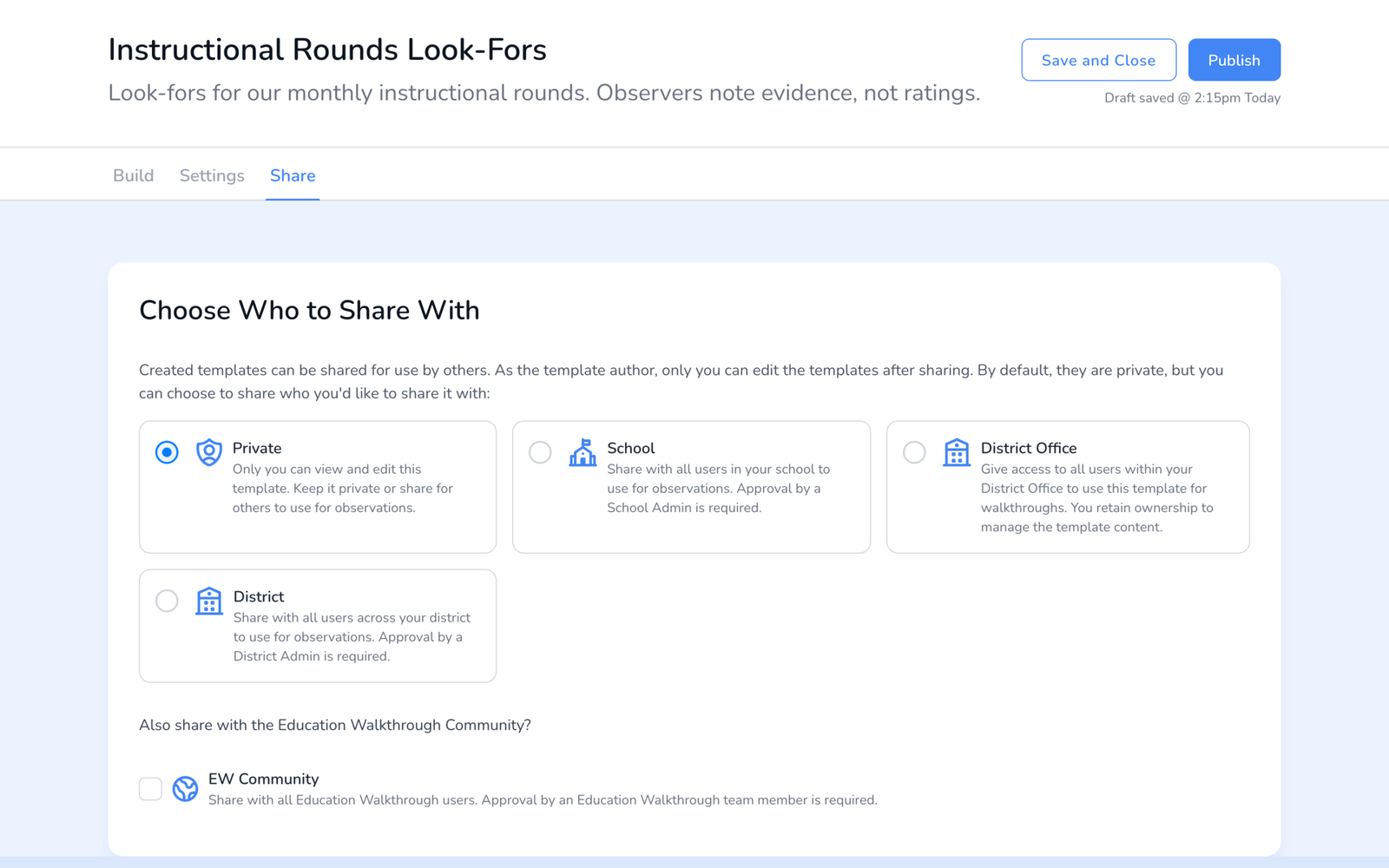
- Is the level right? On the Share tab, School reaches your school only. A principal at another building needs District.
- Is the observer at a school in scope? A District template reaches schools in that district. A school added to the district after the share still gets it; a school in a different district does not.
- Is the observer looking at the right school? District roles see one school at a time. The school switcher in the top bar decides which templates appear, see How to Switch Schools.
- On the app, refresh. Pull down on the Templates list, or sign out and back in. Shared templates reach the app within a few minutes; a sign-out forces it.
Teachers
- Right school? A teacher appears in Start Walkthrough only for the school selected in the top bar.
- Shared or moved? A teacher on two rosters is a shared teacher and shows at both schools. A teacher moved to another school leaves the old roster, see How to Share Teachers Across Schools.
- Archived? Archived teachers do not appear in the picker. Check the Archived tab on the Teachers page.
- On the app, refresh. Same as templates: pull down, or sign out and in.
Still not showing
Submit a ticket with the template or teacher name, the school, the observer’s email, and whether it is the web dashboard or the app. We can see the sharing state on our side.
Frequently asked questions
Q: Where did the Sharing section in Settings go?
A: Sharing moved onto the template itself and onto the teacher record. See How to Share Templates and Teachers.
Q: Does a shared template need re-sharing after I edit it?
A: No. Edits publish to everyone who already has it. Republish after editing so observers get the new version.
Q: A principal sees the template but cannot edit it.
A: That is by design. Shared templates are read-only outside their owner; they can duplicate it.