A lot of what is in Education Walkthrough started as a note from a principal or coach: a report they wished existed, a step that took one click too many, a template their state needed. Here is how to get an idea to us so it is seen, and what happens after.
Post it on the feature board
- Sign in to the web dashboard.
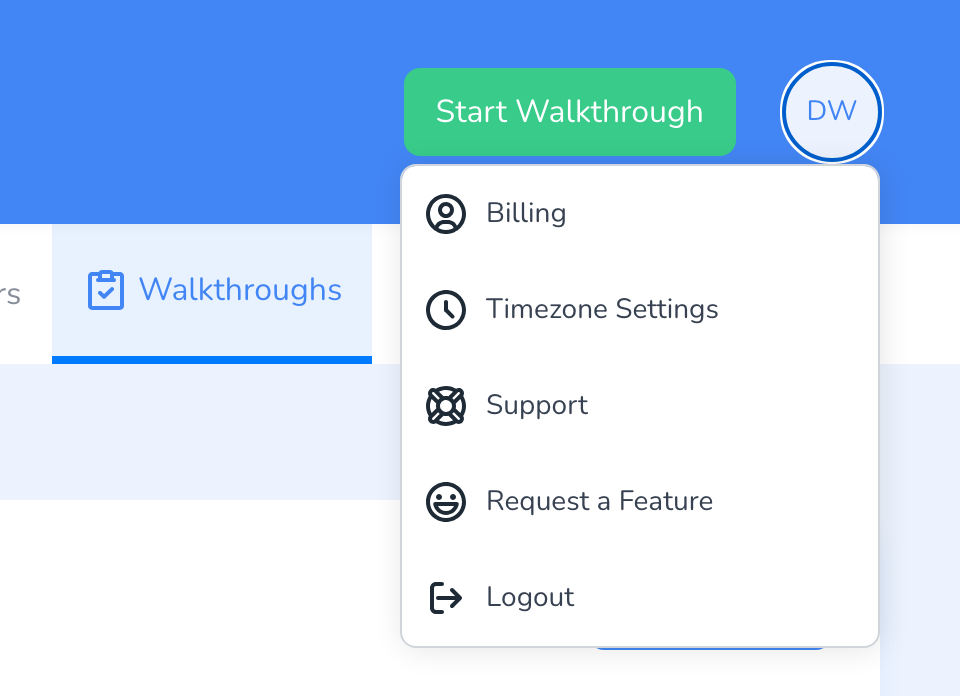
- Click your initials at the top right and choose Request a Feature. The feature board opens in a new tab, already signed in as you.
- Search first. If someone has posted the same idea, vote for it and add a comment about how you would use it. Votes are what we read.
- Otherwise post a new idea. Say what you are trying to do and what gets in the way, not the button you want. The problem is what we can act on.
What happens next
- We read everything. Ideas are reviewed as we plan each release. Votes and comments decide what rises.
- Status on the board. When an idea is planned, in progress, or shipped, its status changes on the board, and you get an email if you voted or posted.
- No promises on timing. A posted idea is a vote, not a commitment. If something is blocking your school this month, say so in a support ticket as well.
Frequently asked questions
Q: Something is broken, not missing.
A: That is a bug, not a feature request. Submit a ticket with what you clicked, what you expected, and a screenshot. Bugs go to engineering, not the board.
Q: I do not see Request a Feature in my menu.
A: The board link appears when your account has been set up on it. If it is missing, submit a ticket with your idea and we will post it for you.
Q: Can I request a walkthrough template?
A: Templates are not features. Check the template library for a shared one first, and if your framework is not there, tell support what it is and we will help you build or import it.
Q: Can I talk to someone about an idea?
A: Yes. Mention it in a support ticket and ask for a call. Customer-facing ideas with a real use behind them are the ones we most want to hear.