
Yes. Most schools and districts pay by purchase order, and the whole thing runs through the dashboard: build the quote, upload the PO, and the licenses switch on when we approve it. No emailing PDFs back and forth.
How it works
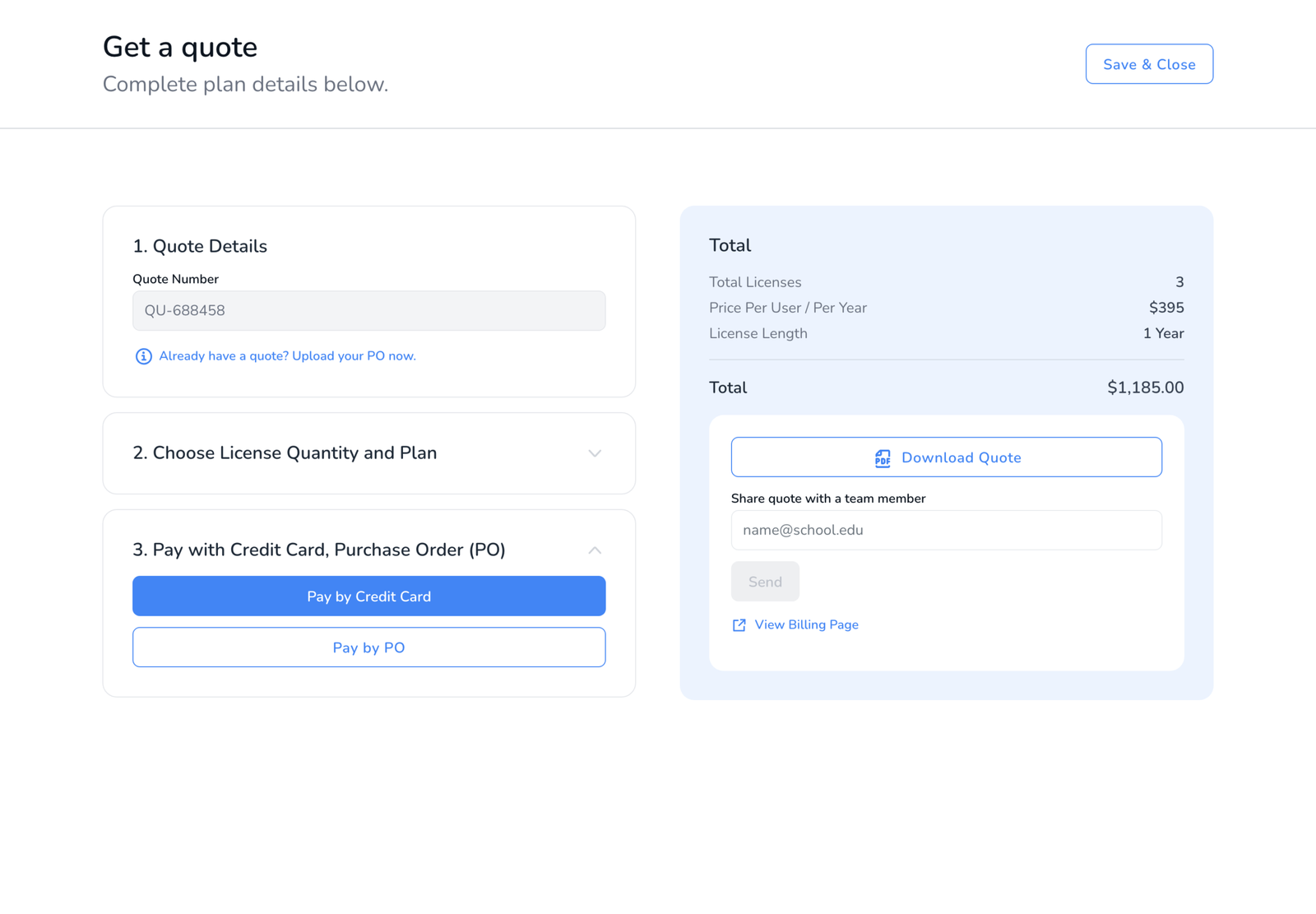
- Generate a quote on the web dashboard and download it for your requisition, see How to Get a Quote.
- When the PO is issued, open the quote and choose Pay by Purchase Order. Upload the PO as a PDF. A PO number alone is not enough; the document is required.
- We review it, usually within one business day. Approval emails you Great News! Your Purchase Order Was Approved and the licenses are active that minute.
- The invoice follows, attached to your quote under Billing, Receipts, and your office pays it on your normal terms, see How to Find and Pay Your Invoice.
Good to know
- Terms. Quotes can be built for one, two, or three years. Multi-year POs lock the price.
- Start date. Buying in May for a July 1 start? Say so when you upload the PO and we date the licenses to match.
- Vendor setup. If your business office needs a W-9 or a vendor form before it can issue the PO, see W-9, Vendor Forms, and Other Procurement Documents.
Frequently asked questions
Q: Our purchasing office does not have an Education Walkthrough account.
A: Email the PO to team@educationwalkthrough.com with the quote number. We upload and approve it for you.
Q: Can we start using it before the PO is approved?
A: Start a free trial if the school has not had one, or ask us; for a district that is clearly going ahead we can often activate on a signed quote.
Q: The PO was rejected.
A: The email says why, usually a mismatch between the PO amount and the quote. Fix the quote or the PO and upload again.
Q: One PO for several schools?
A: Yes. A District Admin builds one quote covering every school and uploads one PO against it.