
A district data lead wants walkthrough counts next to attendance in Power BI. A principal needs a one-page chart for Thursday’s leadership meeting. Both start in Analyze Data, and they end in different places: one is a download from the dashboard, the other is a data export we prepare for you.
Download charts and results as a PDF
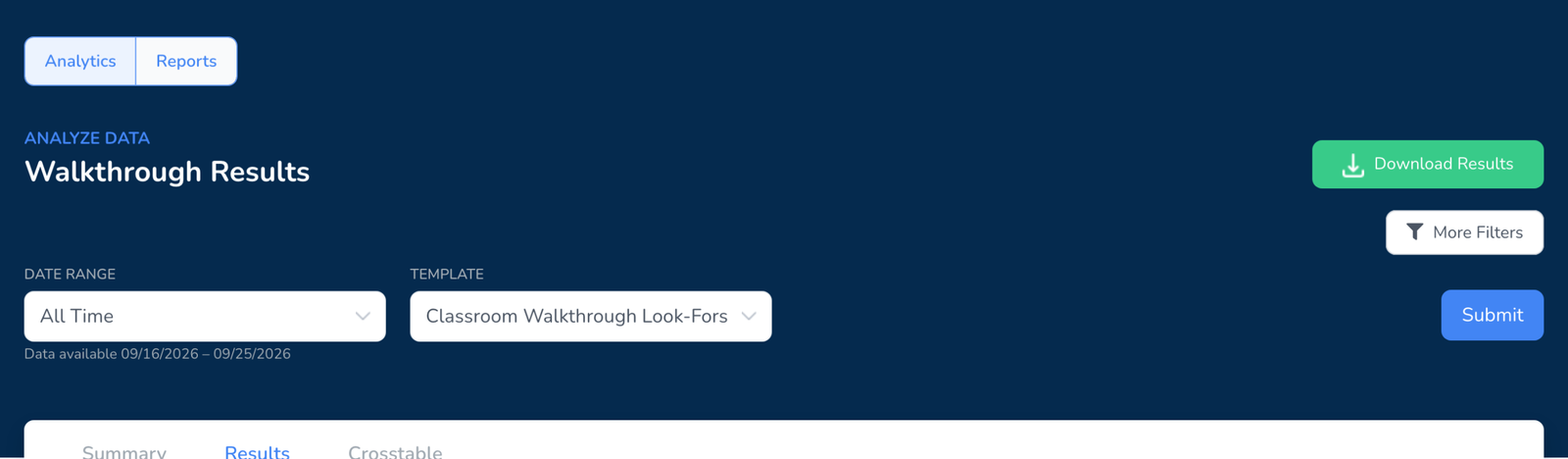
- Open Analyze Data on the web dashboard.
- Choose the template, then narrow by school, observer, teacher, group, or date range. The charts update as you filter, see How to View Walkthrough Results.
- Click Download Results. The PDF holds the charts and tables exactly as filtered, ready to drop into a slide deck or print.
Export the underlying data
District Premium customers can request a full export of their walkthrough data: every observation, the question, the answer, the weight, the observer, the teacher, the school, and the date, in a spreadsheet you can load into Power BI, Tableau, Looker Studio, or a data warehouse. Submit a ticket with the district name, the date range, and whether you want one template or everything. We prepare the file and send a secure link, usually within a few business days.
A self-serve export from the dashboard is in development. This article will be updated when it ships.
What is in the export
- One row per answer. Walkthrough id, date, template, section, question, question type, answer, and weight.
- Who and where. Observer, teacher, school, district, and grade and subject where the teacher record has them.
- Comments. Observer comments on a question come through as text. Photos and videos do not, they stay in the report.
Frequently asked questions
Q: Can I export from the mobile app?
A: No. Download Results and data exports are web dashboard features.
Q: Can a school on the School Plan get an export?
A: Download Results is available on every paid plan. Full data exports are part of the District Plan.
Q: Can we connect Power BI directly to Education Walkthrough?
A: Not yet. Today the path is a prepared export you load into your tool. If a live connection matters for your district, say so in the ticket so we can count the demand.
Q: Who can see the export?
A: Only the people you share the file with. It carries teacher names, so treat it under your district’s data policies, see our privacy policy.