Before a coaching conversation you want one screen: who has observed this teacher, how often, when last, and what the recent walkthroughs said. That is the teacher profile, and it opens from the Teachers page without leaving the list.
Open a teacher’s profile
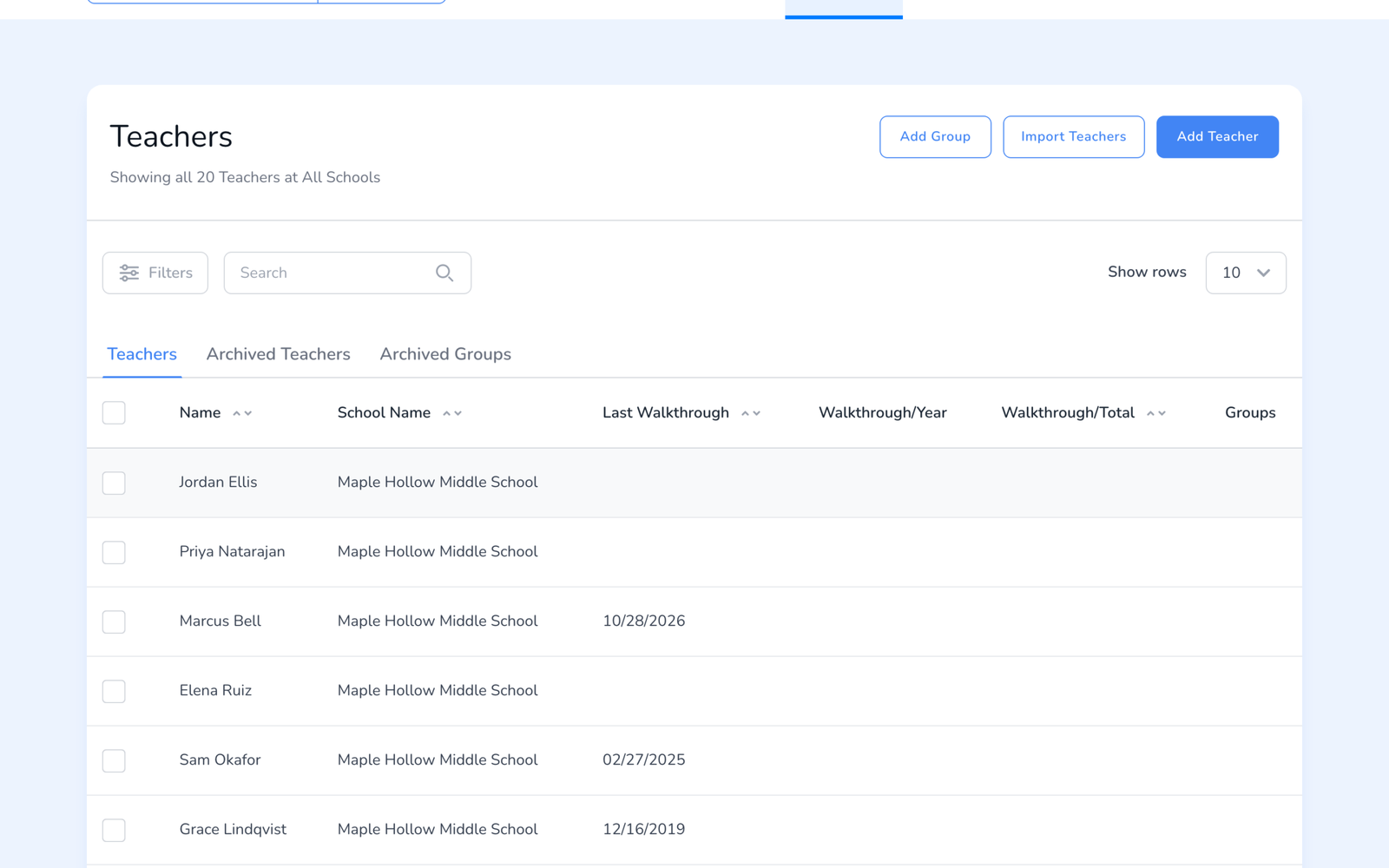
- Open Teachers on the web dashboard.
- The list already shows the headline numbers for every teacher: Last Walkthrough, Walkthroughs this year, and Walkthroughs total. Sort by any column to find who has not been visited.
- Click a teacher’s name. The profile slides in from the right.
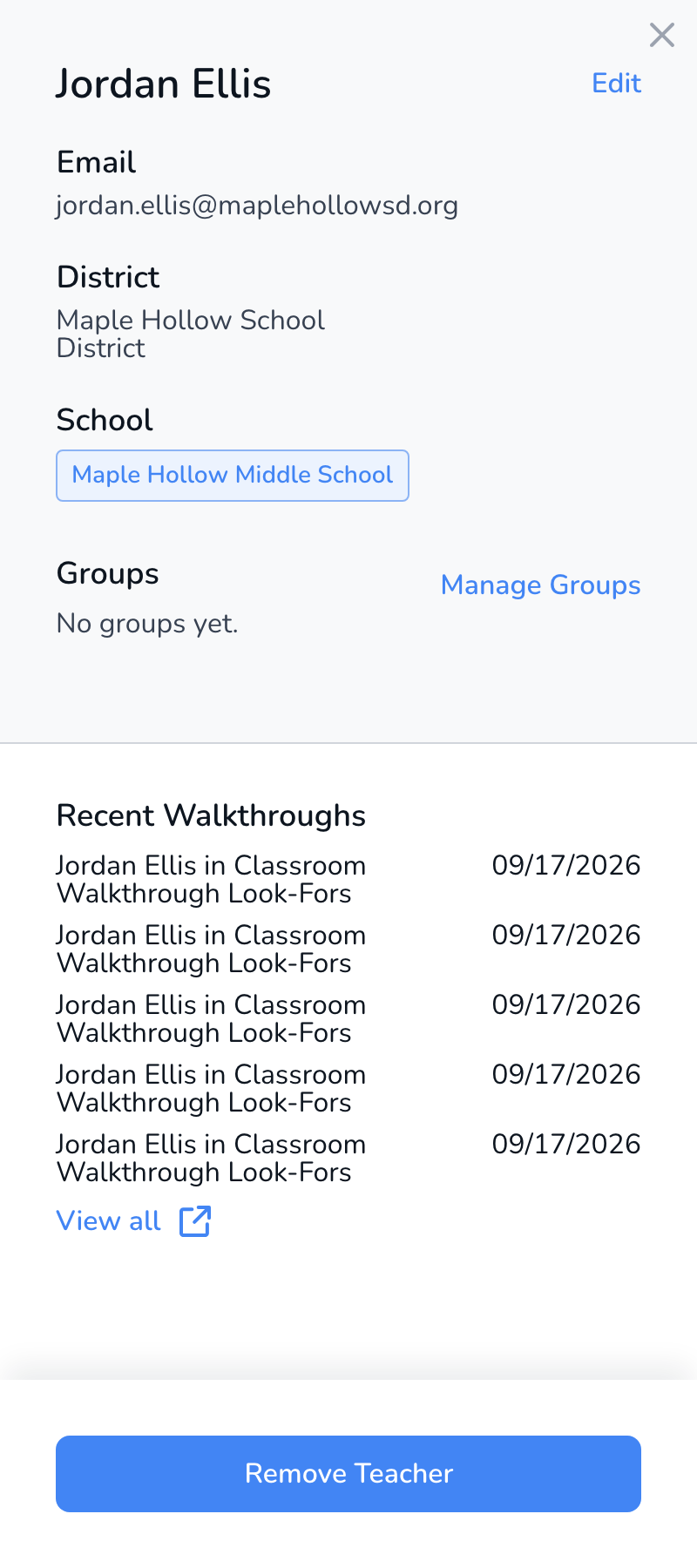
What is on the profile
- Contact and placement. Email, district, and the school or schools the teacher belongs to. Edit changes name and email; the school chip opens the move-school option, see How to Move Teachers to Another School.
- Groups. The teacher’s groups, with Manage Groups to add or remove, see Teacher Groups.
- Recent Walkthroughs. Each walkthrough with the observer, the template, and the date. Click one to open it. View more loads the rest.
- Remove Teacher. Takes the teacher off this school’s roster. Their walkthroughs stay in the school’s records.
Frequently asked questions
Q: Where are the teacher’s charts?
A: Per-teacher trends live in Analyze Data and the Teacher reports, filtered to that teacher, see How to View Walkthrough Results. The profile is the record; the reports are the analysis.
Q: The teacher appears twice.
A: Two records with the same email split the walkthroughs between them, and one of them will look like it was never observed. See Error: Teacher Already Exists to merge.
Q: Can teachers see their own profile?
A: No. Teachers do not have accounts. They receive walkthrough reports by email.
Q: Can I open the profile in the app?
A: The app shows the teacher list and starts walkthroughs from it. The full profile with recent walkthroughs is on the web.