
Every August a few people are in the wrong building. A coach moved to the middle school over the summer, an assistant principal took the open spot across town, and the teacher roster still lists two people who transferred in May. District Admins can fix all of that from one place, without anyone creating new accounts or re-entering a teacher.
Moving happens from the Users page for administrators and the Teachers page for teachers. You need a district-level role, and the school dropdown set to All Schools so both the old and the new school are in view.
Move users to another school
- Open Users with the school dropdown on All Schools.
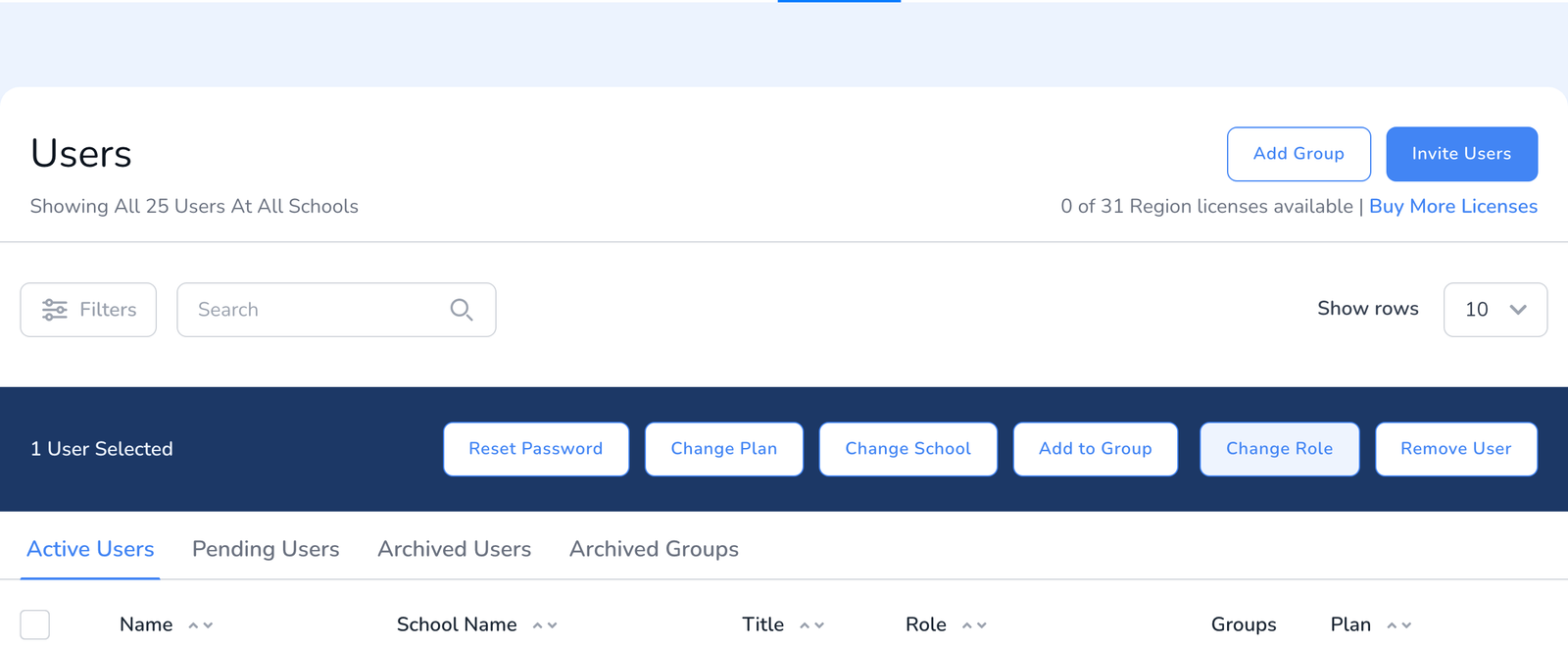
- Tick the box next to each person you want to move. Search and the filters help, see Navigating the Users Page.
- In the bar above the table, click Change School.
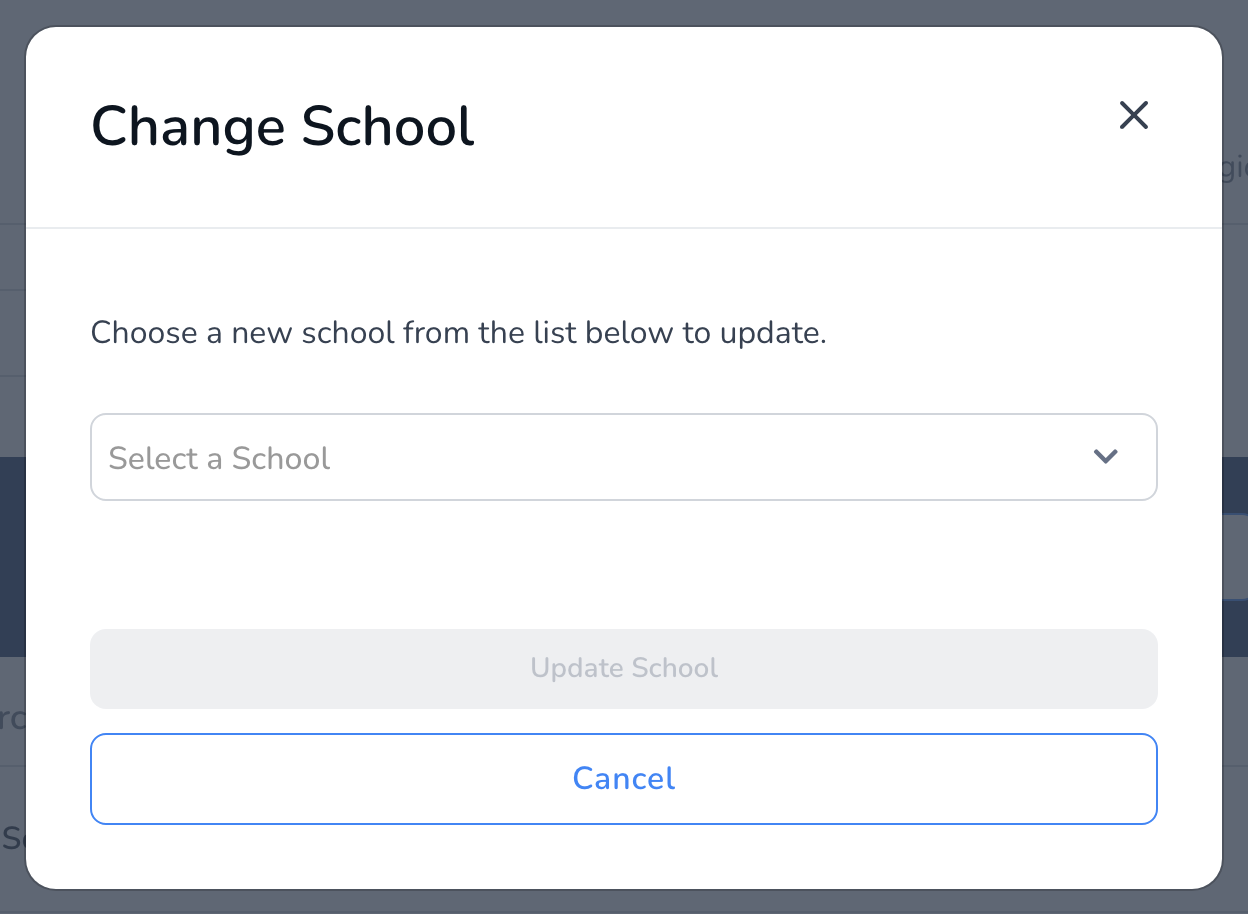
- Choose the new school from the list and click Update School.
The person keeps their account, their sign-in, and their role. Their license stays with the pool it was assigned from, so check the license count on the new school afterward if it has its own pool.
Move teachers to another school
- Open Teachers with the school dropdown on All Schools.
- Tick the box next to each teacher, then click Change School in the bar above the table.
- Choose the new school and click Update School.
A teacher who works in two buildings does not need to move. Share them with both schools instead, see How to Share Teachers Across Multiple Schools.
Walkthroughs and templates
- Walkthroughs are not moved on their own. They stay with the teacher and observer they were recorded for. After moving a teacher, open the Walkthroughs page for the new school to see where their history now shows.
- Templates are not moved, they are shared. Share a template with the schools that should use it, or duplicate it into the new school, see Sharing Templates.
Frequently asked questions
Q: I am a School Admin. Can I move someone?
A: No. Moving between schools is a district-level action. Ask your District Admin, or have the person use Request different school in their own Settings, see I Moved to Another School. How Do I Change My School?.
Q: The new school is in a different district.
A: That move needs our help. The request-a-different-school flow has an option for it, or contact support.
Q: Can I move several people to different schools at once?
A: Each move goes to one school. Select the people headed to the same school, move them, then repeat for the next school.
Q: Does the person get an email?
A: No. Moving does not notify anyone. Tell them yourself if they need to know.
Q: I moved the wrong person.
A: Select them again and move them back. Nothing else changed.