
A principal retires in June and the new one starts in July. The license should follow the chair, not the person. Removing a user frees their license; assigning it to the new person is the next click. Their walkthroughs stay with the school.
Remove a user
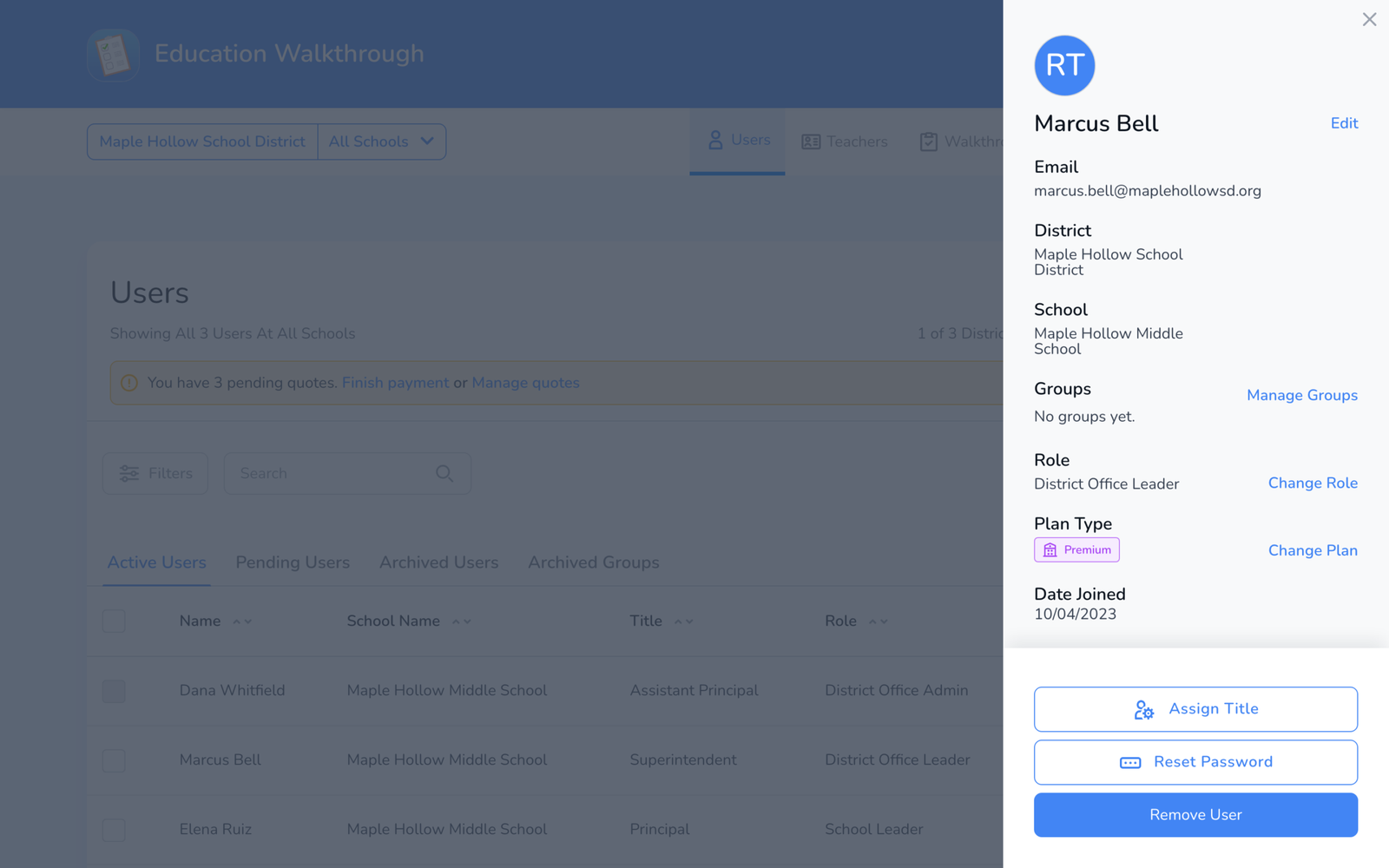
- Open Users and click the person’s name. Their panel opens on the right.
- Choose what fits: Change Plan to Basic keeps their account and frees the license. Remove User takes them off the school and frees the license. For someone moving to another building in your district, use Move instead, see How to Move Users to Another School.
- Confirm. The license count above the table goes up by one.
Give the license to the new person
Invite them, or if they already have an account at the school, open their panel and Change Plan to assign the freed license, see How to Add Users to Your School.
What happens to their work
- Walkthroughs they completed stay in the school’s records and in every report. Nothing is deleted when a user is removed or downgraded.
- Templates they built stay available at whatever sharing level they set. A private template of theirs is not visible to others; ask them to share it before they leave, or ask support to reassign it.
- Their account still exists. Removing a user from a school is not the same as deleting the account; only the person can do that, see How to Delete Your Account.
Frequently asked questions
Q: Archive or Remove?
A: Archive hides the user and frees the license but keeps them on the school, so you can unarchive later. Remove takes them off the school. Both keep the walkthroughs.
Q: The person pays for Individual Premium through the App Store.
A: Their subscription is theirs, not the school’s. Remove them from the school if needed; their store subscription continues until they cancel it, see Managing Your Licenses and Premium Subscription.
Q: Can I remove several people at once?
A: Yes. Tick the boxes on the Users page and use the bulk actions.
Q: I removed someone by mistake.
A: Invite them again, or if they were archived, open Archived Users and unarchive.