The same classroom visit can be a quick look-for checklist, a scripted narrative, or a scored rubric, depending on what the school is trying to learn. The template decides which. This article is about choosing question types and settings so the template matches the job, with the mechanics of building left to How to Build a Walkthrough Template.
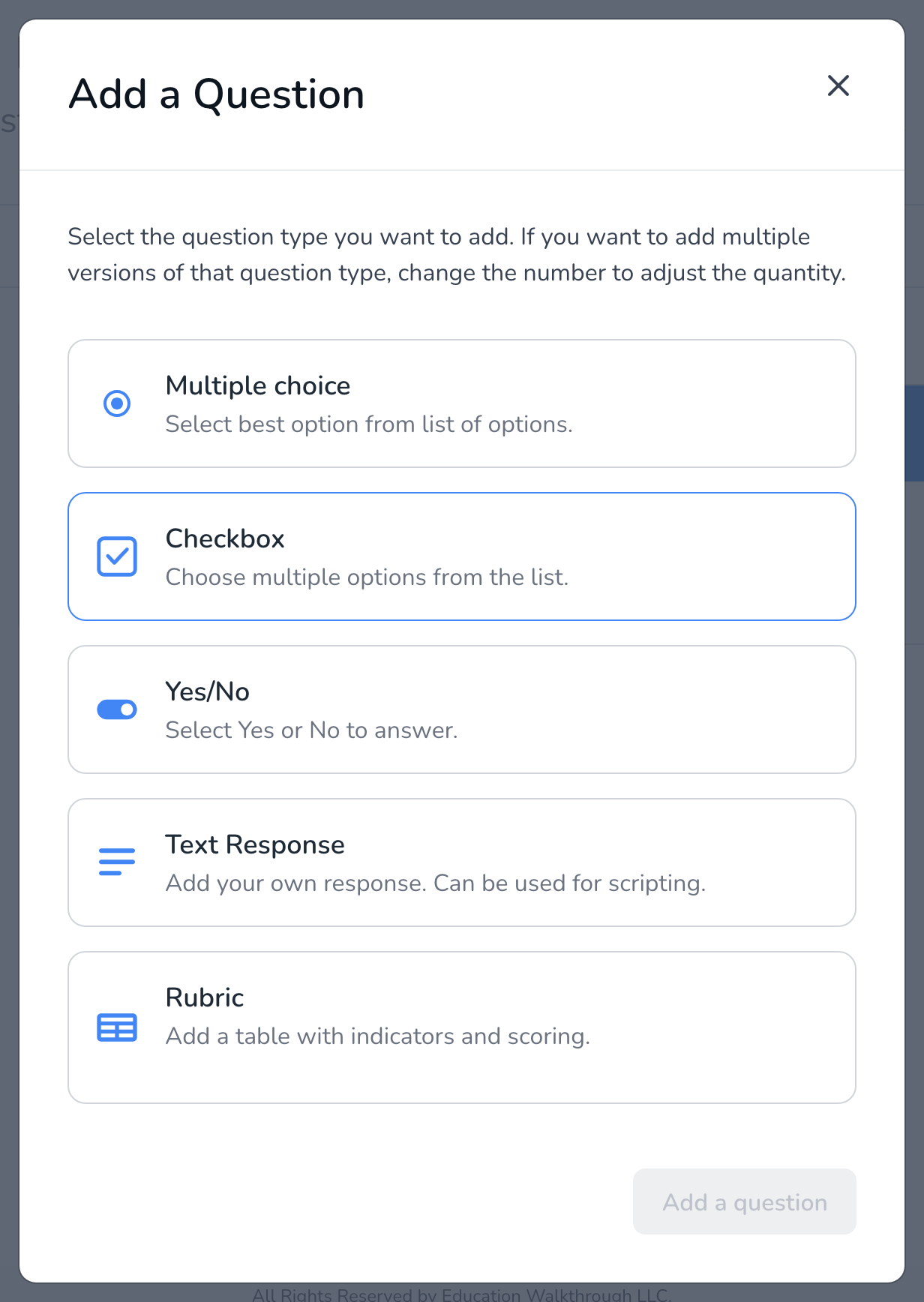
Pick the question type for the job
- Multiple choice for one judgment on a scale: level of engagement, where the lesson is in the gradual release. Options can carry weights so the results average, see How to Assign Weights to Multiple Choice Options.
- Checkbox for look-fors where several can be true at once: strategies seen, materials in use.
- Yes/No for presence or absence: objective posted, timer running, exit ticket used.
- Text Response for scripting and evidence. Pair it with a checkbox or multiple choice question so the observer records both the judgment and the evidence behind it.
- Rubric for formal scoring: indicators down the side, performance levels across the top, one level per row. Up to twenty indicators.
- Information for guidance that is not a question: what to look for in this section, a reminder about the school’s focus.
Turn on evidence per question
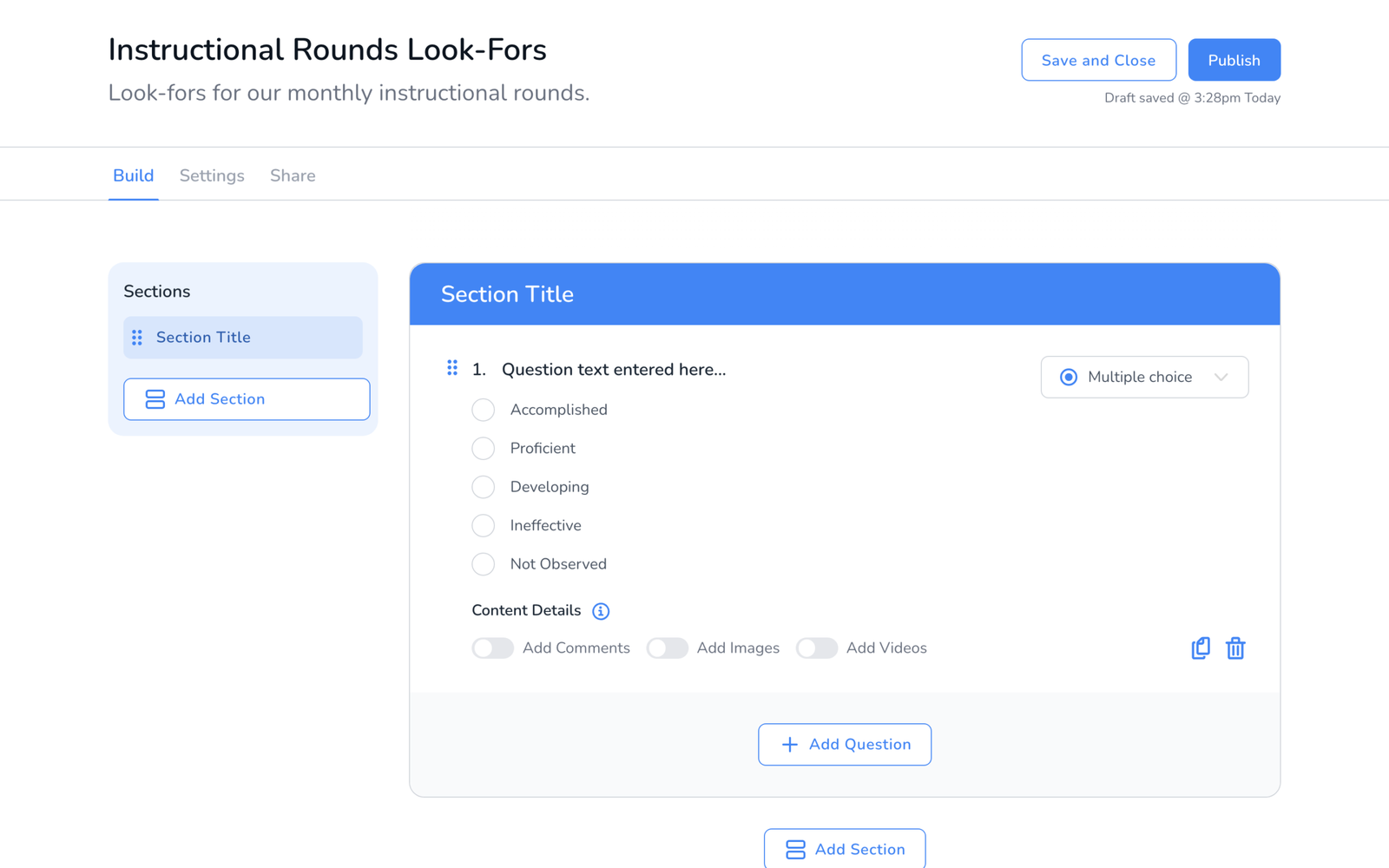
Every question has Content Details switches: Add Comments, Add Images, and Add Videos. Turn on only what the question needs. A photo of the posted objective is useful; a photo on every yes or no is noise, and large reports arrive as a download link rather than an attachment, see Why Some Walkthrough Emails Have a Download Button.
Three templates that work
- Ten-minute walkthrough. One section, four to six checkbox and yes or no look-fors, one text response for notes. Observers finish in the room.
- Coaching visit. Two sections, one for the agreed focus with a multiple choice scale and comments on, one text response for next steps. Type set to Coaching so it stays out of the evaluation reports, see Observation Types.
- Formal observation. A rubric per domain of your framework, comments on for every rubric so the score has evidence, Formal Observation as the type.
Not sure where to start? The template library has templates other schools have shared, including state frameworks, that you can copy and adjust.
Frequently asked questions
Q: Can I mix rubric and checkbox questions in one template?
A: Yes. Any section can hold any mix of question types.
Q: How many questions is too many?
A: There is no limit, but a walkthrough template that takes longer than the visit defeats itself. Most teams keep a walkthrough under ten questions and save rubrics for formal observations.
Q: Can observers skip a question?
A: Yes. Questions are not required. If a look-for was not applicable, leave it blank or add a Not Observed option with a weight of zero.
Q: Can I build templates in the mobile app?
A: No. Build on the web dashboard. Published templates are available in the app for walkthroughs.