
Who has a license, when it expires, what you paid, and where to renew: all of it is on one page. This article is the map of the Billing page and the answers to the subscription questions we get most.
The Billing page
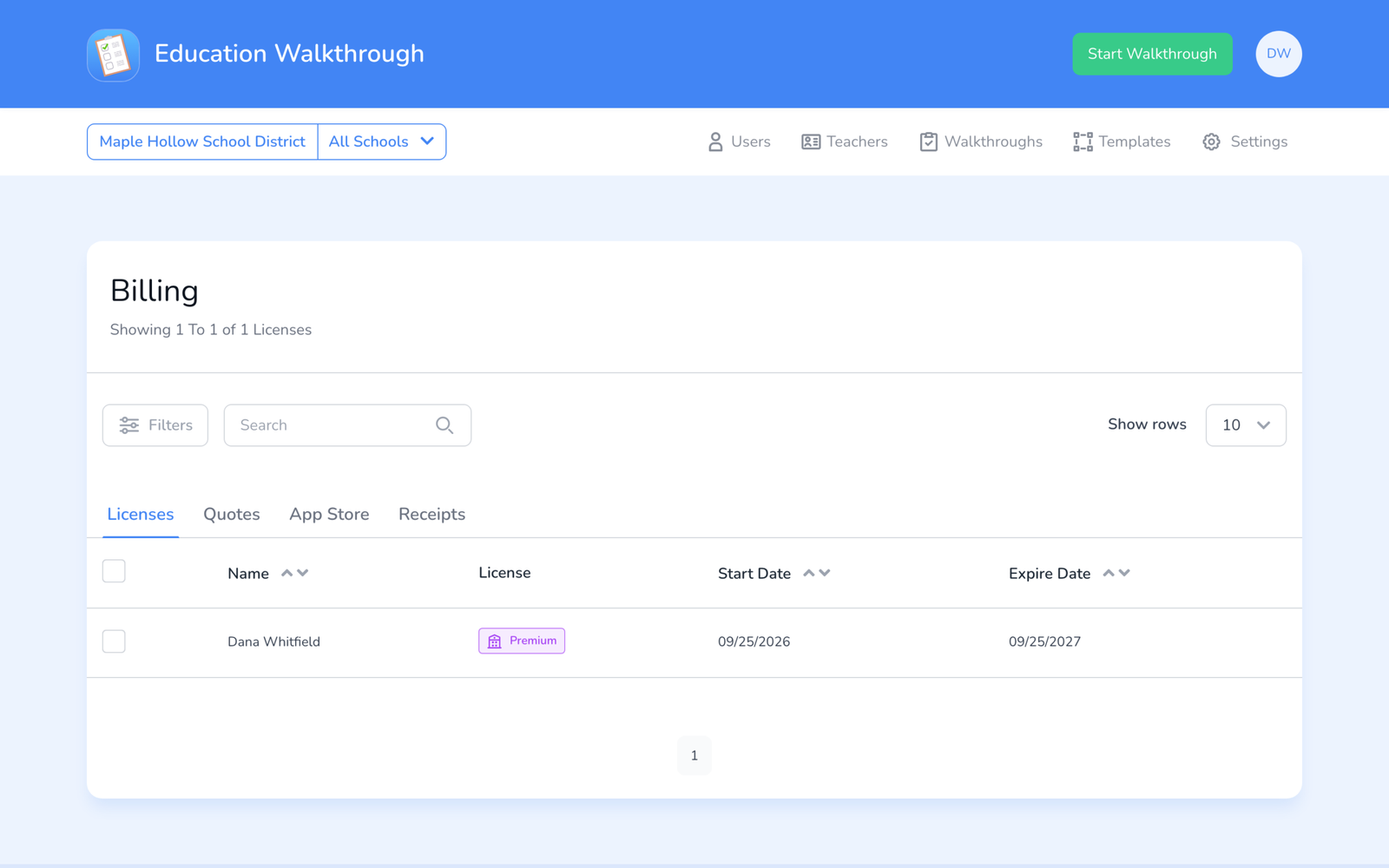
Click your initials at the top right and choose Billing. Four tabs:
- Licenses. Every license on your account with the person holding it, the start date, and the expiry date. Sort by Expire Date to see what is due.
- Quotes. Quotes you have started, with their status. Finish payment or upload a PO from here.
- App Store. Individual Premium subscriptions bought through Apple or Google.
- Receipts. Invoices and card receipts to download.
Renewing
School, District, and Region licenses run for the term you bought and do not renew on their own. Renewal reminders go to the School or District Admins ahead of the expiry date. To renew, open Billing and start a quote with Renew Licenses, see How to Renew Your License. Renew before the date and the licenses extend; renew after and new licenses are issued.
Individual Premium
- Bought on the web: a yearly subscription that renews automatically. Cancel from the Billing page before the renewal date to stop the next charge; access continues to the end of the paid year.
- Bought in the App Store or Google Play: managed in your Apple or Google subscription settings, not in Education Walkthrough. If the app does not reflect a store purchase, see I Paid for Premium on My Device.
Frequently asked questions
Q: Can I add seats mid-year?
A: Yes. Start a new quote for the extra seats. Ask in a ticket if you want the new seats to end on the same date as the rest.
Q: Can I move a license to another person?
A: Yes. On the Users page, downgrade the person leaving to Basic (or archive them) to free the license, then Upgrade the new person. The license count does not change.
Q: What happens when a license expires?
A: The holder drops to Basic and keeps their data. Their walkthroughs stay in the school’s records. Renew and they pick up where they left off, see How to Upgrade Your Account.
Q: I want to cancel entirely.
A: Let the licenses lapse, or ask us to end them early. Deleting your own account is a separate step, see How to Delete Your Account.