
Locked out of your Education Walkthrough account? Most login issues come down to one of a few causes. Work through the steps below in order and you will be back in quickly.
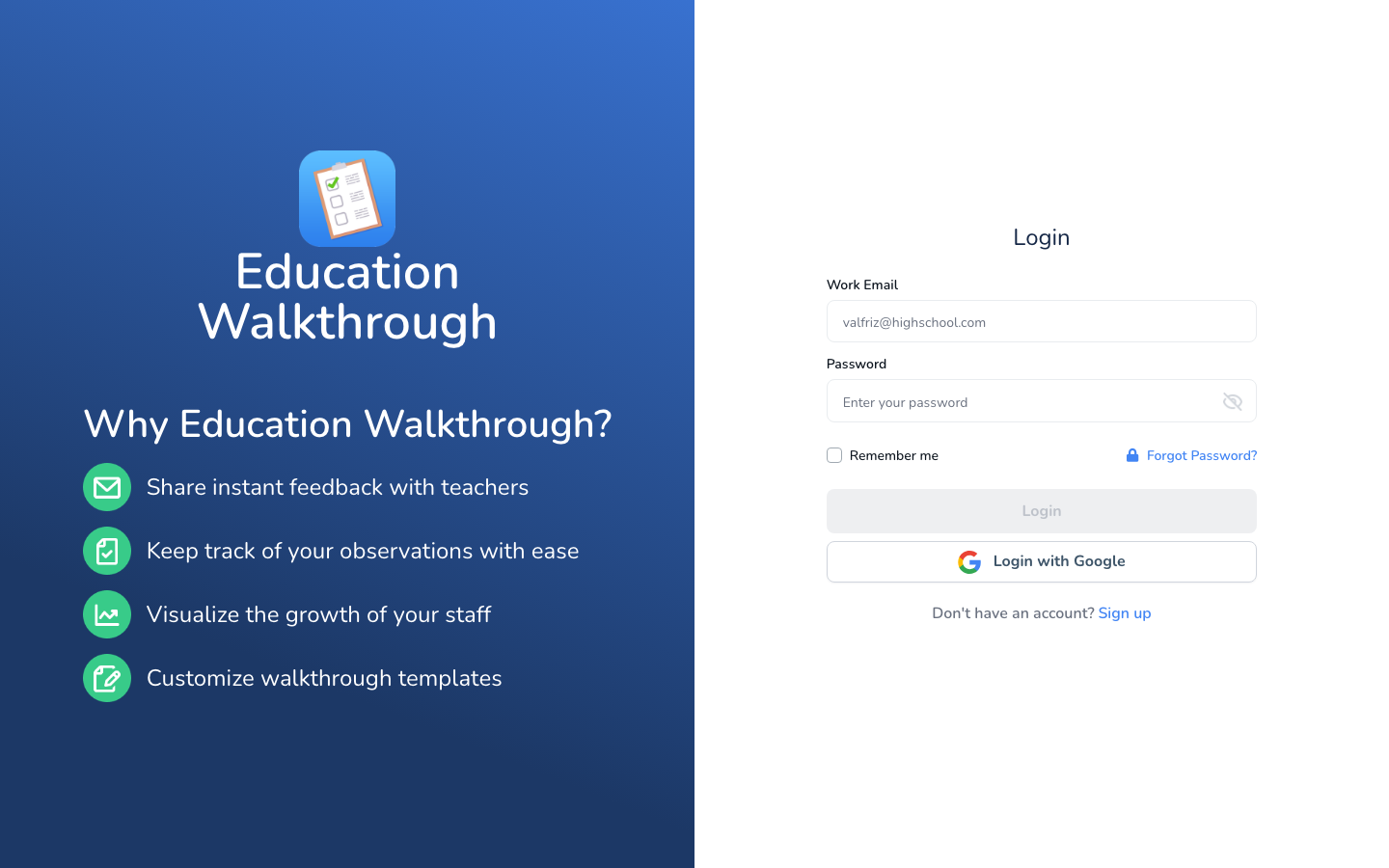
1. Check Which Sign-In Method Your Account Uses
There are two ways to sign in to Education Walkthrough: with your work email and password, or with the Login with Google button. If your account was created with Google, use Login with Google every time. Entering your Google email in the email and password fields will not work, because there is no separate Education Walkthrough password for your account.
2. Reset Your Password
If you sign in with an email and password and the password is not working, click Forgot Password? on the login page, enter your email address, and click Submit. Instructions will be sent to your inbox. For the full steps, see our article on changing or resetting your password.
3. Reset Email Not Arriving
School email systems often filter automated messages. Check your spam or junk folder first. If the email still does not arrive, ask your IT team to whitelist Education Walkthrough’s email addresses. Our whitelisting guide has the details to share with them.
4. Google Sign-In Not Working
Make sure you are choosing the same Google account your Education Walkthrough account was created with, usually your school or district Google account rather than a personal one. If the sign-in window does not appear, check that your browser is not blocking pop-ups, or try a private/incognito window or a different browser.
5. Still Stuck?
Submit a ticket and include the email address you use for Education Walkthrough, what happens when you try to log in, and a screenshot of any error message. That gives us everything we need to get you back in fast.
FAQs
I signed up with Google. What is my password?
There is no separate Education Walkthrough password for Google accounts. Your password is managed by Google, so always use the Login with Google button.
I am not sure which email my account uses.
Ask the Administrator who invited you, or contact support and we will look it up for you.
Need Additional Help?
Have questions or need help? Our support team is always here to assist you. Reach out anytime, we’re happy to help!