
When something in the app looks wrong, the first thing we will ask is which version you are on. A district-managed iPad can sit two or three releases behind the App Store, and most “the app won’t let me sign in” reports turn out to be an old build that needs updating. Checking takes ten seconds.
Find your app version
- Open the Education Walkthrough app and sign in.
- Tap Settings, the gear in the bottom bar.
- Scroll to the bottom. The version number is shown under Version.
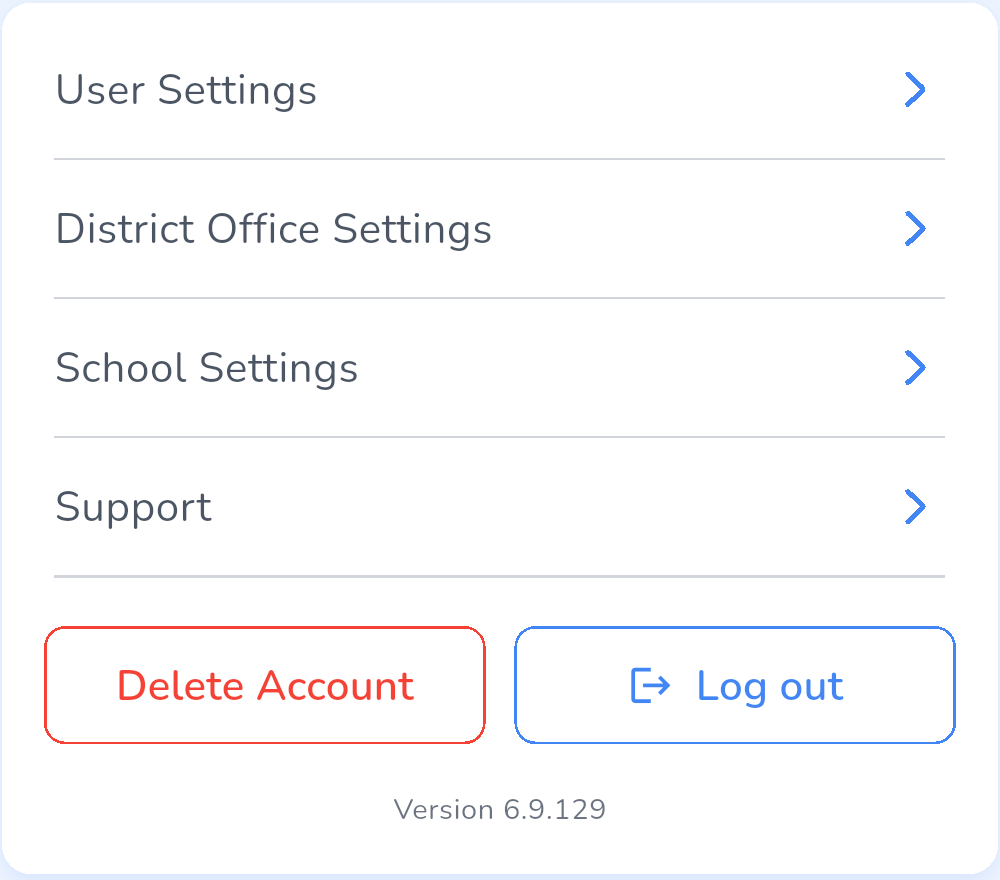
Have that number ready when you write to support, along with the device model and whether it is an iPad, iPhone, or Android device.
Update the app
- On your own device. Open the App Store or Google Play, search for Education Walkthrough, and tap Update if it is offered.
- On a district-managed device. Updates come from your technology department through their device management system. If the store shows no Update button and the version is behind, ask IT to push the current release. See Managing Education Walkthrough Through Apple School Manager.
Frequently asked questions
Q: The app says I must update before I can continue.
A: A release that changes how the app talks to our servers requires everyone to update. On a personal device, update from the store. On a managed device, IT has to push it, so let them know the same day.
Q: The store has no Update button but my version is old.
A: The device is managed and updates are controlled by your district. Contact your technology department.
Q: I updated and still cannot sign in.
A: Sign out, close the app fully, and sign in again. If that does not work, see Troubleshooting Login and Google Sign-In Issues.
Q: Will updating lose a draft walkthrough?
A: No. Drafts are saved on the device and survive an update, see What Happens If My Screen Locks During a Walkthrough.