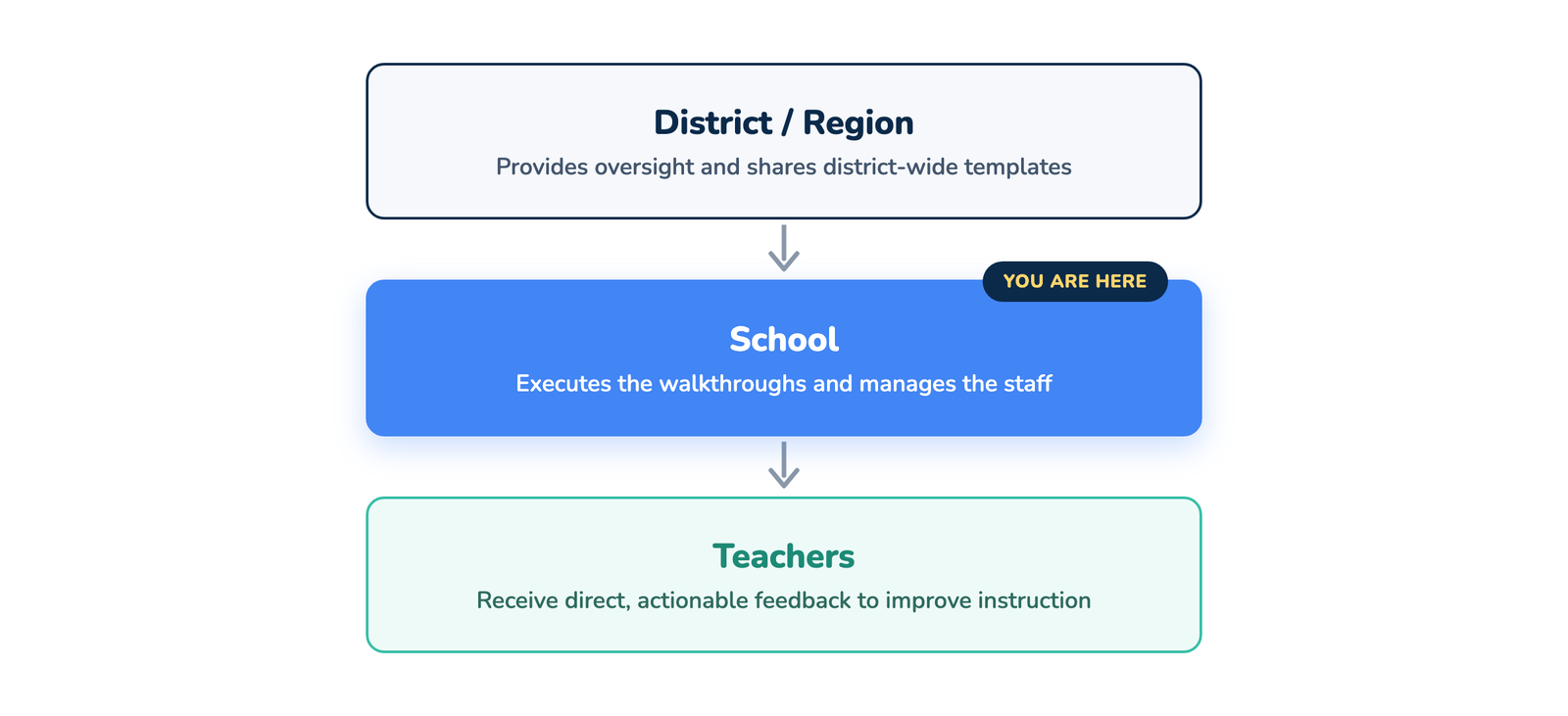
The School Plan is designed for individual campuses, serving Principals, Assistant Principals, and Instructional Coaches. This is the operational heart of Education Walkthrough, where data collection happens and feedback is delivered.
While Region and District plans focus on high-level oversight and standardization, the School Plan is optimized for execution: conducting observations, emailing feedback to teachers, and analyzing building-level trends to drive professional development.
Key Features
- Unlimited Walkthroughs: There are no caps on the number of observations you can conduct. Capture as much data as needed to support your teachers.
- Instant Feedback Loop: Automatically email walkthrough reports to teachers immediately upon submission (or save them as drafts to review later).
- School-Level Analytics: Access the Growth Over Time and Pie Chart visualizations to see how your specific campus is performing against your instructional goals.
- Teacher Roster Management: Easily add, edit, or archive teachers specific to your building.
- Template Customization: If your template is not locked by a District Admin, you have full control to build and modify standard or rubric-style templates that fit your school’s unique culture.
School User Roles
The School Plan allows you to share the workload among your leadership team while maintaining control over settings:
| Role | Description |
| إدارة المدرسة | Full Campus Control. Can manage the teacher roster, invite other users, edit templates, and view all walkthrough data and analytics for the school. This role is typically for the Principal or Head of School. |
| قائد المدرسة | Instructional Oversight. Ideal for Assistant Principals or Instructional Coaches. This role grants access to both the Web and Mobile platforms to conduct walkthroughs and view school-wide analytics and reports, but restricts access to high-level settings (like billing or deleting the account). |
| School Staff | Restricted Access. Designed for Teachers, giving them their own login to see their own walkthrough history and conduct Peer Observations. School Staff can log in on both the Web Dashboard and the Mobile App, see their own walkthroughs, and use shared peer observation templates (but not create or edit templates), with access to their personal settings only. They cannot view school-wide analytics or the teacher and user rosters. |
Visualizing the Hierarchy
The School Plan is where the “rubber meets the road” regarding instructional improvement: